Course support
Everyone needs help at some point, it’s part of the learning process. I want to make sure you can identify where that is so that you don’t get too frustrated and feel comfortable seeking help.
Useful links
Course Operations
- GitHub organization - https://github.com/DATA385-f26
- RStudio container - Jupyterhub Hosted by Cal-Icor
- Gradebook - Stored in Canvas
- Syllabus - https://data385.netlify.app/syllabus_385 but commented on in Persuall
- Community Coding - https://datascience.csuchico.edu/communitycoding
- Textbooks
- R for Data Science (R4DS) - https://r4ds.hadley.nz/
- Introduction to Modern Statistics (IMS) - https://openintro-ims2.netlify.app/
Student Help hours (Office hours)
Hours listed on the landing page https://data385.netlify.app/
Office hours are times where I am sitting in my office (Holt 202) with the door open, available to assist any student that brightens my doorway. You can come to chat, grab a snack, get help with homework, navigating class materials, class or career advice. This is my dedicated time to help students like you. Come visit me!
Discord
Quite often questions can’t wait until office hours, or you prefer to write out your question in detail. Or sometimes they are small/quick enough that it’s not worth navigating the maze of Holt hall, you’d rather just be able to text me. Well that’s what Discord is for! There is a chance another student has already asked a similar question, so please check the other posts on before asking a new question. If you know the answer to a question that is posted, I encourage you to respond!
You can access this tool on the course website toolbar – just click on the icon.
Join link: https://discord.gg/xCQTAgu8bE
Please refrain from emailing any course content questions (those should go to Discord), and only use email for questions about personal matters that may not be appropriate for the public course forum (e.g., illness, accommodations, etc.). You can email me through Canvas Inbox, or directly at rdonatello@csuchico.edu. Barring extenuating circumstances, I will respond to emails within 48 hours Monday - Friday. Response time may be slower for emails sent Friday evening - Sunday.
Assignment Submissions
Here is some general guidance on how to submit homework. Exceptions will exist so always check the submission instructions for each assignment carefully.
Application Exercises (AE) are activities we do in class and counted as participation. You get full credit by
- participating in the exercise while in class - even if we don’t finish during class. This means coding along with the rest of us, and committing at least once during class time.
- submitting the completed version via a Github push by EOD.
Code alongs are a type of lecturing where you watch someone present the content (either me during class or via Duke video outside of class) and you follow along in a set of template “fill in the blank” notes. These are submitted through Github and count towards participation credit by checking both completeness, correctness and timeliness.
Homework will be submitted in 2 places:
- github to assess commit history and collaboration when appropriate
- the rendered PDF to gradescope to grade content and completion.
Project assignments will be similar to homework, but the deliverables will vary from presentations to team documents published as a website.
Quizzes and Exams are paper and pencil and done during class time.
Gradescope
- To limit the number of websites you have to remember, you can go to Canvas to submit your homework assignment. There will be a button in that assignment that will take you directly to Gradescope to submit your file.
- Be sure to assign all pages to questions, and that all questions have pages assigned to them.
- After an assignment is graded, grades will be released and automatically synced with Canvas gradebook.
- You can see how to request a regrade on individual questions here. Do not re-upload your entire assignment unless authorized by the instructor.
Programming
Program Terminology
- The term R refers to both the programming language and the software that interprets the scripts written using it.
- An IDE is an “Integrated Development Environment” and essentially is another program that lets you interact with R in a productive and efficient manner.
Help Learning R as a language
- Check out the Math 130 “Seeking Help” page.
- Posit Community (like Stack Overflow for Posit specific content) - https://forum.posit.co/
Package documentation
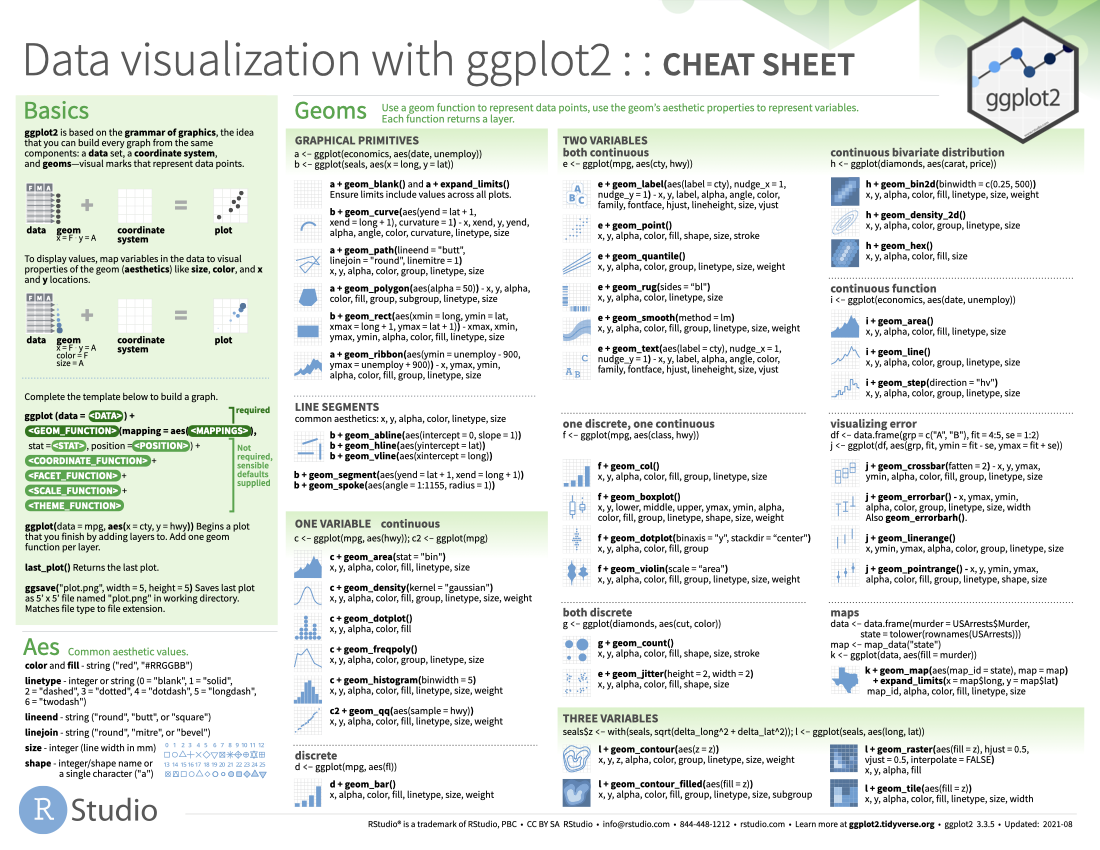
- 🔗 ggplot2: ggplot2.tidyverse.org
- 🔗 dplyr: dplyr.tidyverse.org
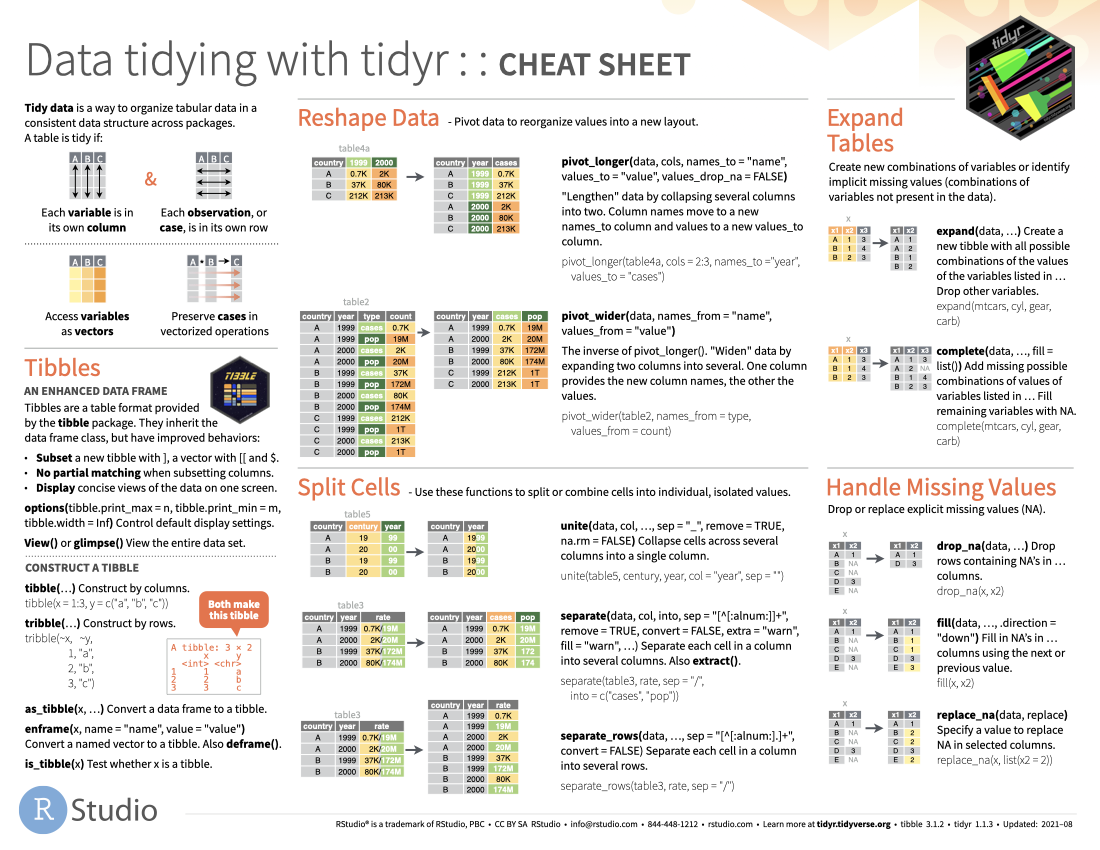
- 🔗 tidyr: tidyr.tidyverse.org
- 🔗 forcats: forcats.tidyverse.org
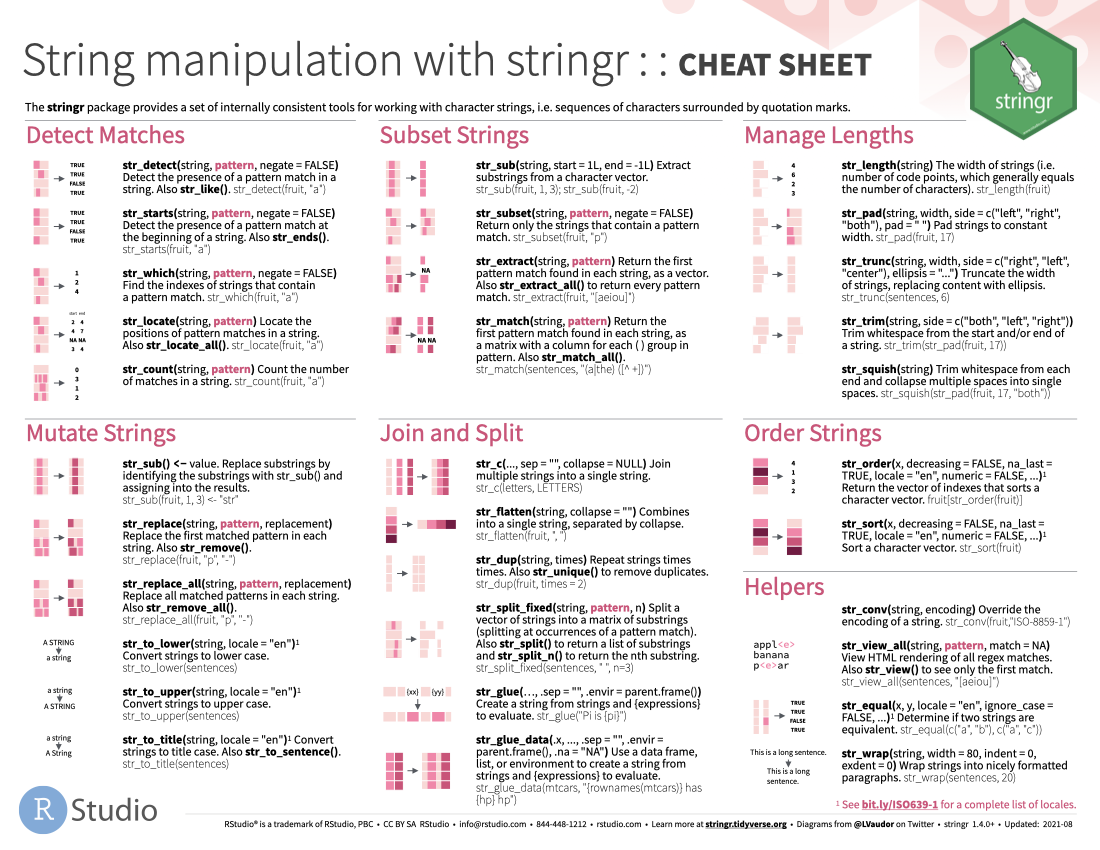
- 🔗 stringr: stringr.tidyverse.org
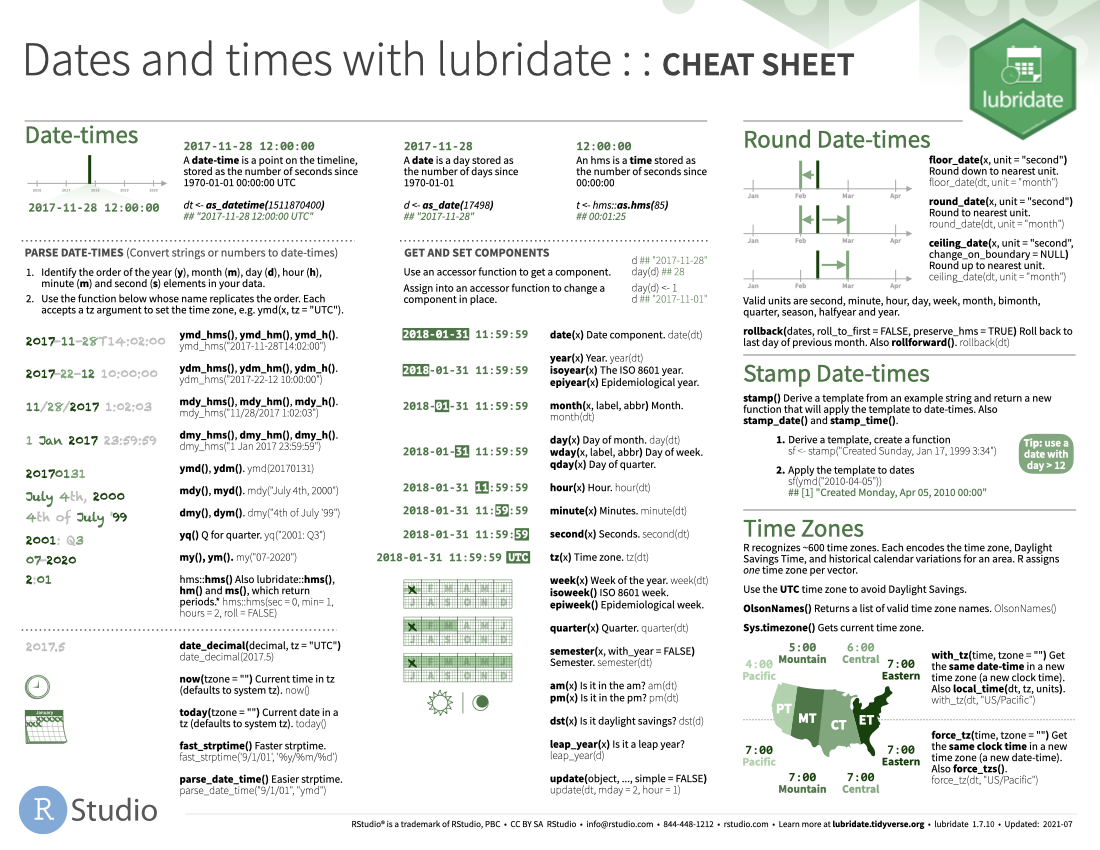
- 🔗 lubridate: lubridate.tidyverse.org
- 🔗 readr: readr.tidyverse.org
- 🔗 readxl: readxl.tidyverse.org
- 🔗 gtsummary: https://www.danieldsjoberg.com/gtsummary/index.html
- 🔗 sjPlot: https://strengejacke.github.io/sjPlot/index.html
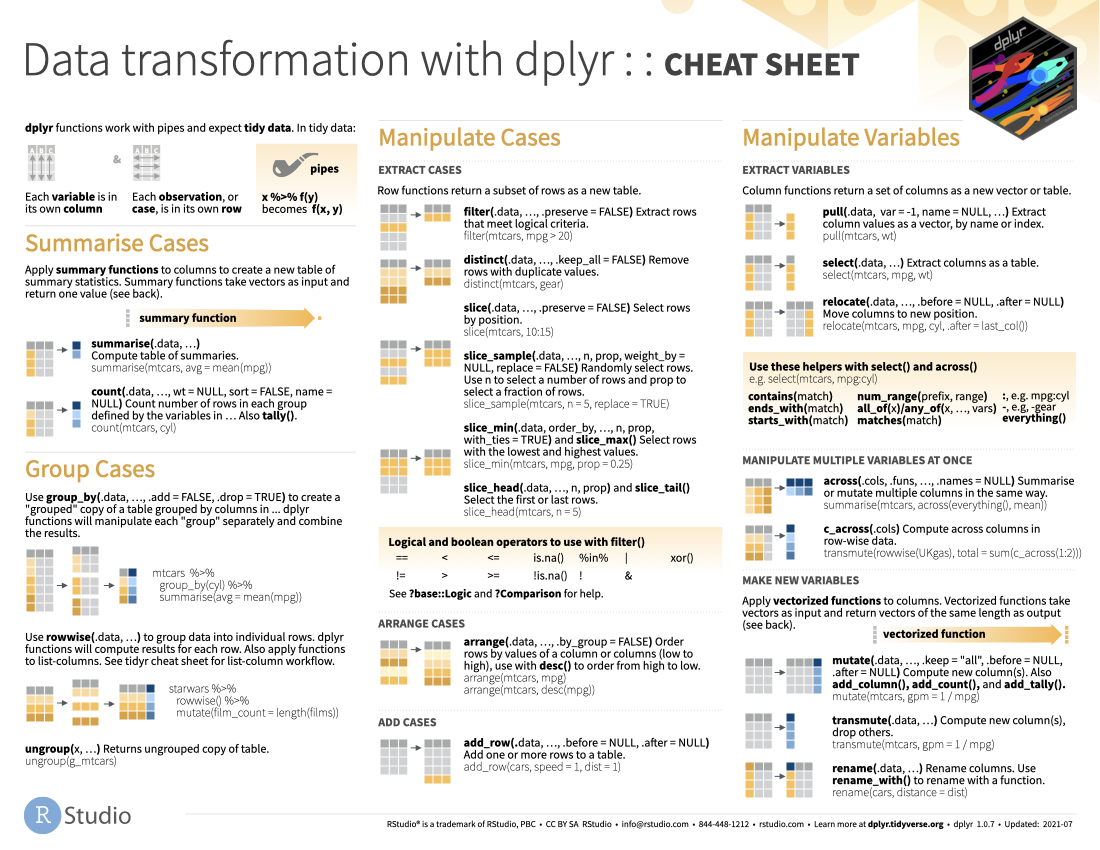
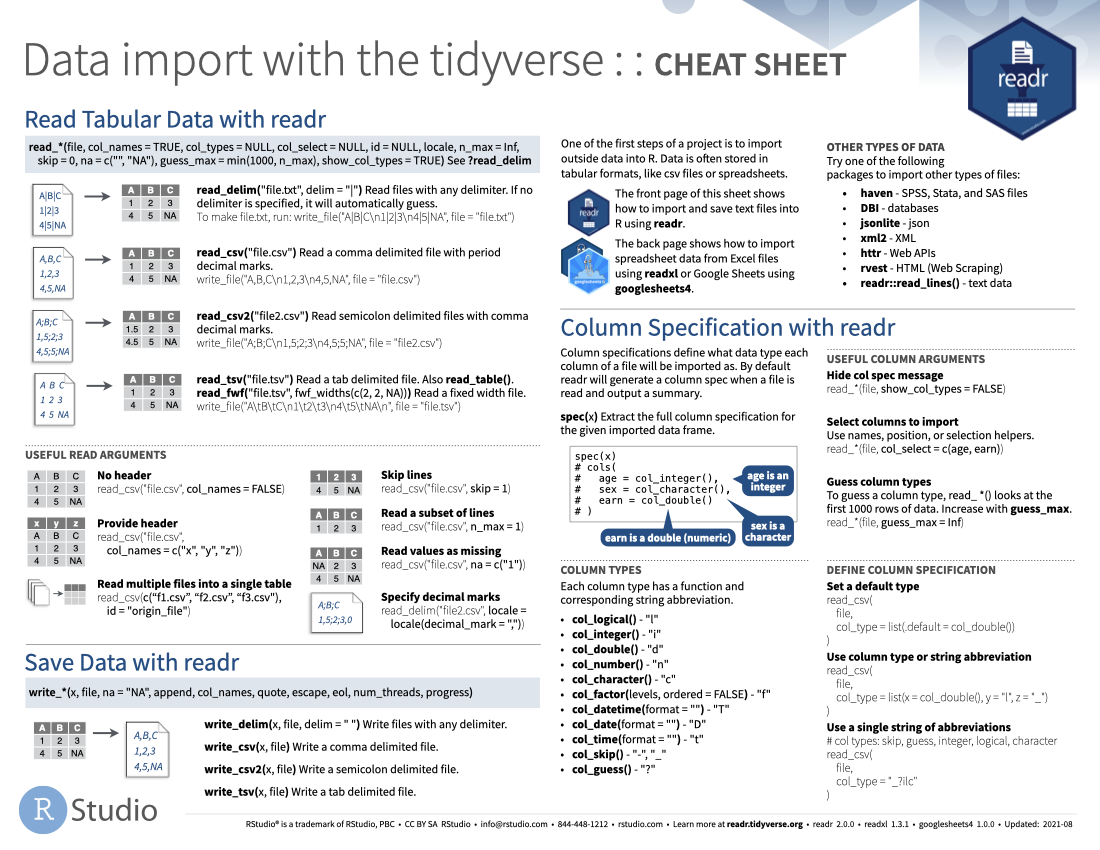
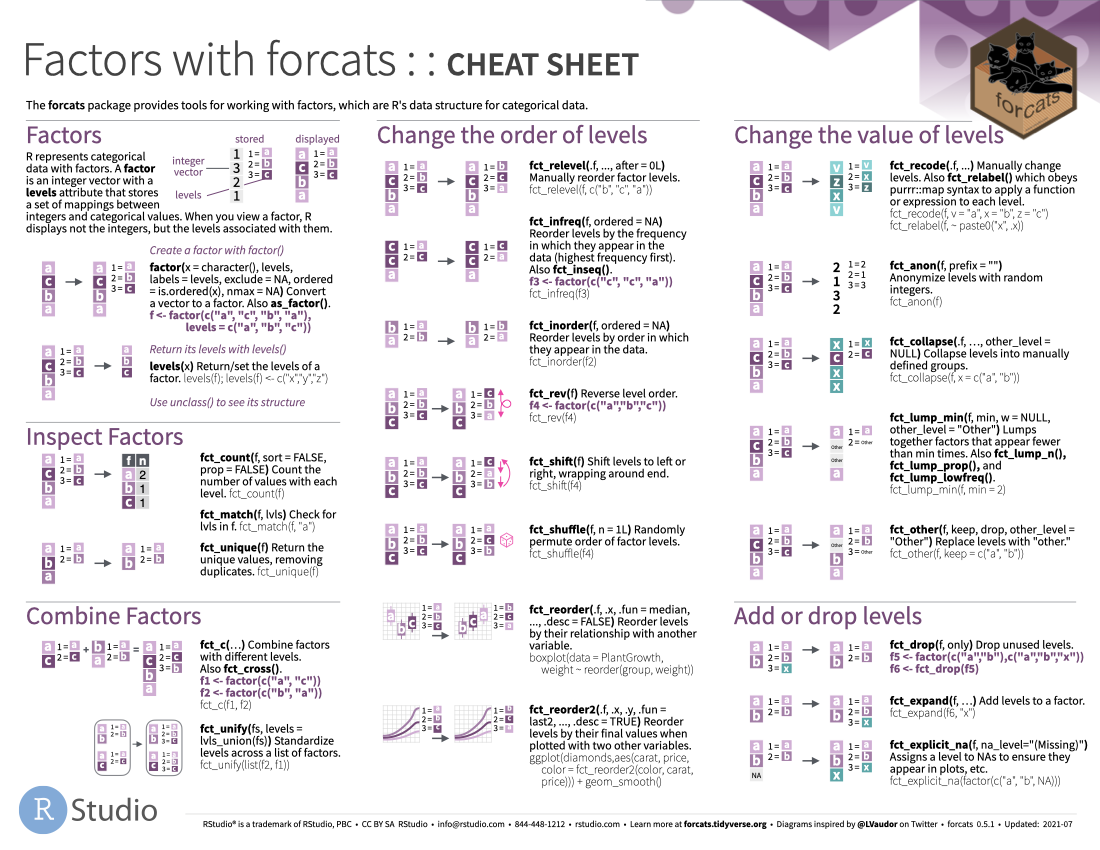
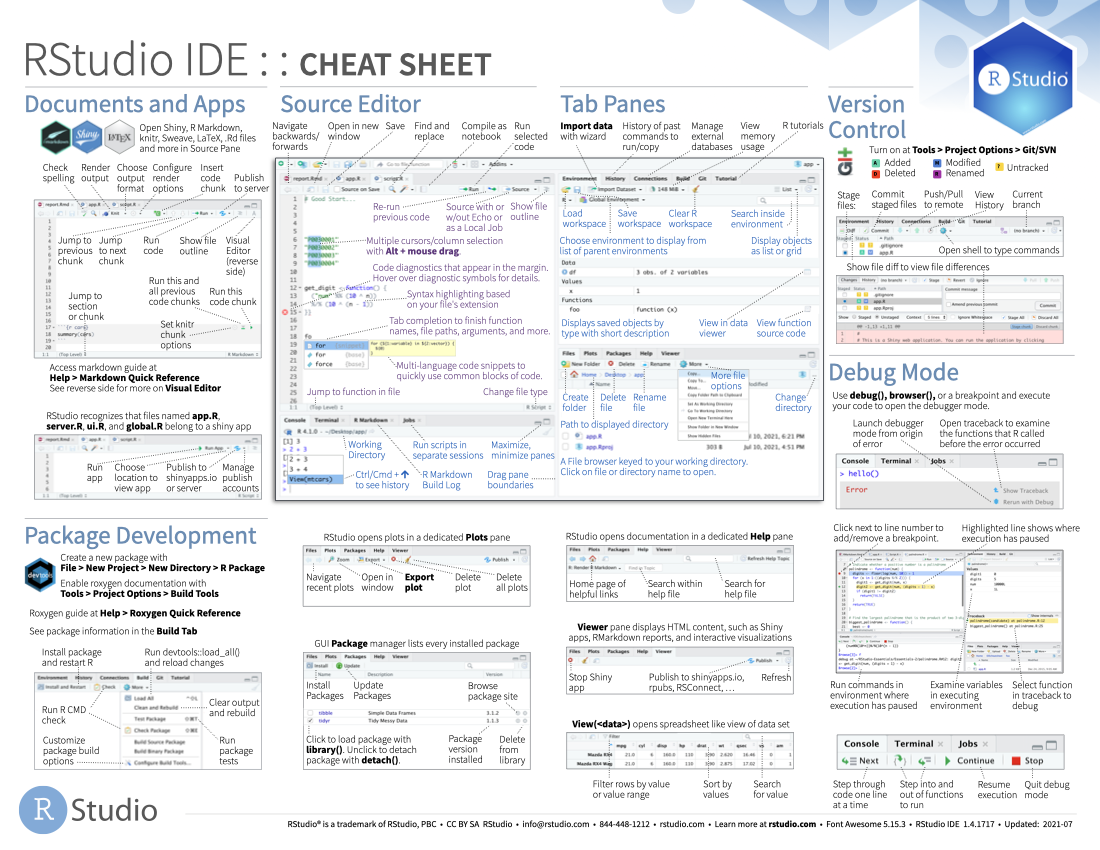
Cheatsheets
The following cheatsheets come from https://www.rstudio.com/resources/cheatsheets. We haven’t covered every function and functionality listed on them, but you might still find them useful as references.
Writing
General: The Writing Center provides enrolled Chico State students free, one-on-one writing tutoring.
Writing about Data: See the class writing guide
Website organization
The website contains all/most the materials for the class. The main navigation panel is on the left has sections for logistics (schedule, syllabus), lecture notes and learning activities
Callout blocks
These same colored boxes are used throughout the slides too, so the meaning is consistent everywhere in the course.
General Information. Boxes contain notes and information for you to be aware of.
Examples. Boxes contain examples for us to work together on.
Red boxes contain warnings such as common errors or pitfalls.
Discussion. Purple boxes contain icebreaker or discussion prompts.
Sometimes there are side notes presented in the right margin